
Pack & Label
The cutter breaks the carcass, weighs each pack, and prints a label.
Each pack becomes a serial-tracked stock.lot with the source animal
stamped on it — that’s how recall works in one query.
Per-line packing
On a confirmed cut sheet, click a line to open it. The Packs table
is now editable. Place the cut on the scale, click Read Scale on a
new row — the weight populates. Click Generate Serial and a
stock.lot is minted with the lot name, weight, source carcass, and
use-by date.
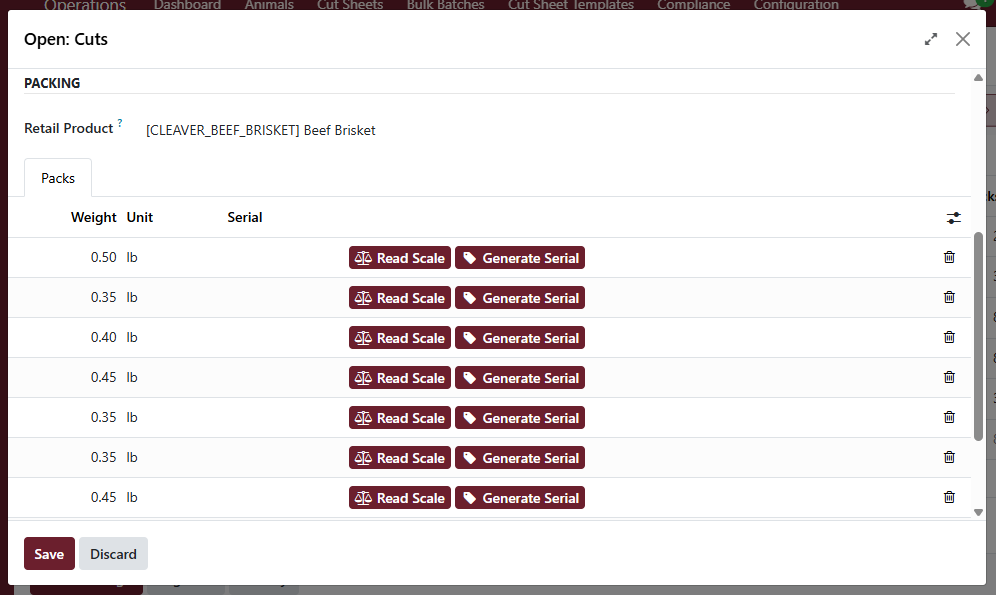
A pack row — three buttons get you from scale to serial to printed label without leaving the form.
Print labels
Every pack row has a Print Label button that downloads a 4×2” thermal-stock PDF. The label shows product name, weight, total price, price-per-unit, source animal, packed date, use-by date, and a Code 128 barcode of the serial. Send it straight to your thermal printer.
The barcode is the serial — POS reads it back to look up the exact pack’s weight and recompute price on scan.
Bulk print
Once every pack on a sheet has a serial, click Print Pack Labels in the header to download one PDF with one page per pack. Saves you running them off one click at a time.
Move to inventory
For internal cut sheets (the shop’s own animal), click Move to
Inventory after Pack & Label. That creates a stock.picking from
production to WH/Stock so the cuts show up in your retail inventory.
For customer cut sheets, use Stage for Pickup instead — see Pickups & deliveries.