Sale orders & billing
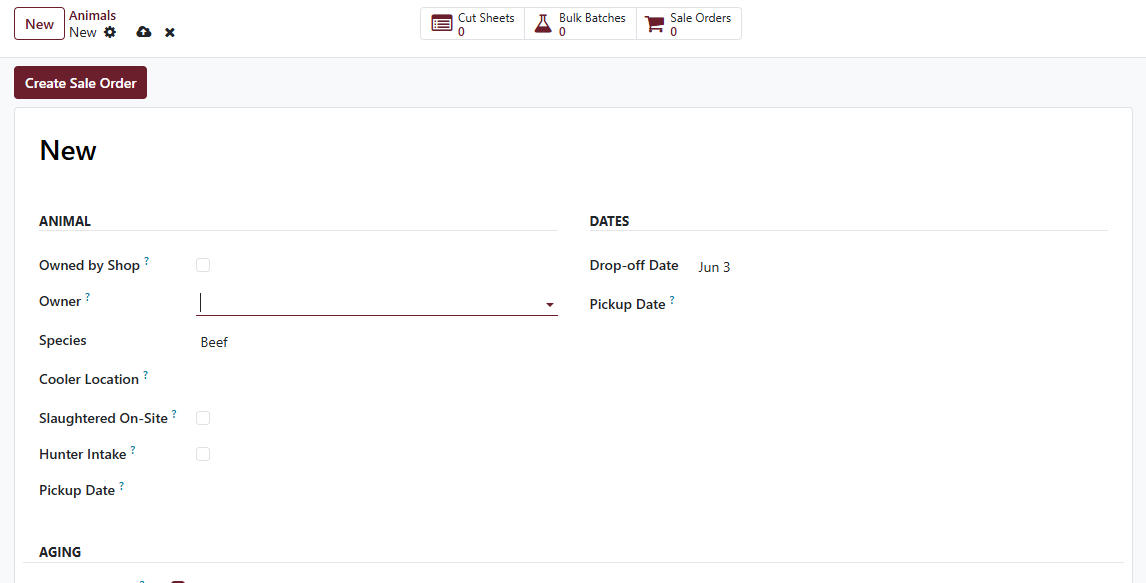
Custom-processing customers get a service invoice — Cut & Wrap per weight unit of carcass weight, plus extras. Click Create Sale Order on the carcass form and Cleaver builds the SO with the right lines pre-populated.
Auto-derived lines
- Cut & Wrap — qty = carcass hanging weight, priced from the platform service product. Default rate is in Settings → Cleaver → Service Products.
- Kill Fee — flat charge, only when Slaughtered on-site is ticked AND no other cut sheet on the same animal already carries it.
See Service products & pricing for how per-display-unit pricing works (your $2.75 means $/lb on a lb shop, $/kg on a kg shop — no conversion thinking required).
Add the rest manually
Smoke / Cure, Sausage Making, Aging Premium — operator-typed
service-product lines for jobs that include those steps. Pull them
from the product catalogue (default codes CLEAVER_SMOKE_CURE,
CLEAVER_SAUSAGE, CLEAVER_AGING_PREMIUM) and set the qty to the
weight actually processed.
These are NOT auto-derived from cut-sheet line flags because an earlier round of auto-derivation produced double-billing bugs. The operator at pickup is the authoritative source for “what was actually smoked / sausage-stuffed / aged.”
Share-buyer carcasses
When a single animal is split between two or more customers (each with their own cut sheet), Create Sale Order loops through every unbilled cut sheet and creates one SO per customer. Land on the SO list, confirm each, bill each independently.
The Kill Fee logic still applies — only the first SO carries the fee. Cancelling that first SO releases the fee back to the next SO created for the same animal. No double-billing on share-buyer carcasses.
When you need to cancel an SO
Standard Odoo cancel. The cascade through non-posted invoices is
automatic. Once the SO is in cancel state, the linked cut sheet
becomes deletable again — see
Troubleshooting → I can’t delete a cut sheet.